
Small Business Inventory Tracker | Excel Stock Management Template
55.10 $
Manage your business inventory with our editable Small Business Inventory Tracker. This Excel template helps you record products, monitor stock movements, calculate inventory values, identify products that need restocking, and organize supplier information. Featuring automatic calculations and a visual dashboard, it’s a practical solution for small businesses and online sellers. Download instantly and start managing your inventory.
Small Business Inventory Tracker
Manage Your Stock. Track Inventory. Stay Organized.
Take control of your inventory with our Small Business Inventory Tracker, a professionally designed Excel spreadsheet that helps entrepreneurs, retailers, and online sellers organize products, monitor stock quantities, calculate inventory values, and identify items that need restocking.
Whether you’re running a small retail shop, managing an online business, or selling products from home, this practical inventory management template helps you keep accurate and organized stock records without complicated inventory software.
What’s Included?
✅ 1. Inventory Management System
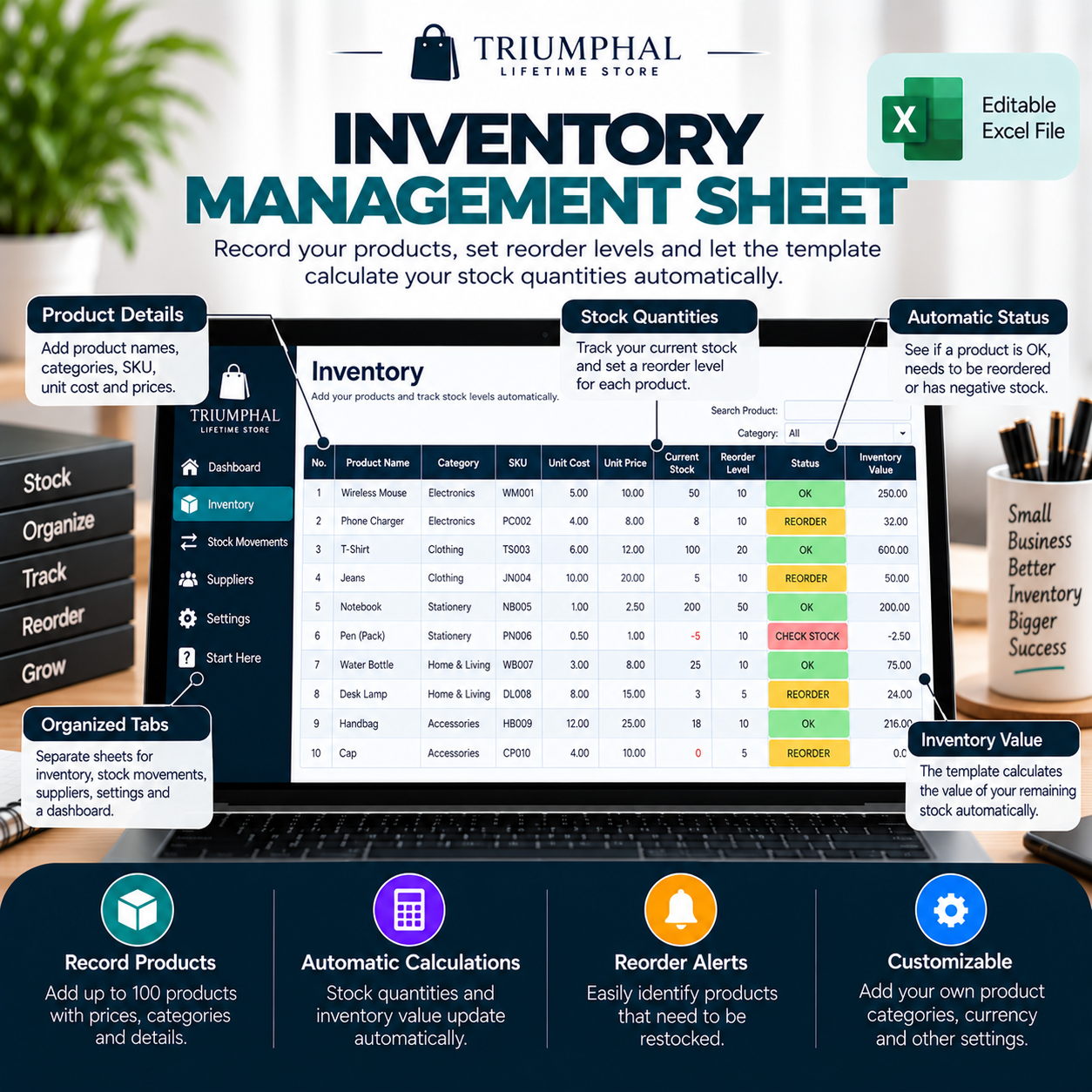
Keep your product information organized in one convenient spreadsheet.
Record important details such as:
Product names
Product SKUs
Product categories
Supplier information
Unit costs
Selling prices
Starting stock quantities
Reorder levels
Inventory values
The inventory worksheet supports up to 100 products.
✅ 2. Automatic Stock Calculations
Save time with built-in Excel formulas that automatically calculate stock quantities.
When you record stock movements, the spreadsheet updates the relevant product’s inventory balance.
For example:
If your business starts with 50 units, receives 20 additional units, and sells 15 units, the tracker calculates your remaining quantity.
No need to manually recalculate your stock after every transaction.
✅ 3. Stock Movement Tracking
Record incoming and outgoing inventory using the dedicated Stock Movements worksheet.
Track:
Transaction dates
Product SKUs
Stock received
Stock dispatched
Quantities
Order references
Staff or personnel responsible
Additional notes
This helps businesses maintain organized stock movement records.
✅ 4. Automatic Reorder Alerts
Know when it’s time to restock.
Set a reorder level for each product, and the spreadsheet automatically identifies items that require attention.
The inventory tracker uses three main stock statuses:
OK: Your stock is above the reorder level.
REORDER: Your stock has reached or fallen below the reorder level.
CHECK STOCK: The calculated stock quantity is negative and requires investigation.
These indicators make it easier to identify inventory issues.
✅ 5. Inventory Value Calculations
Understand the estimated value of your remaining inventory.
The spreadsheet automatically calculates inventory value using the quantity available and the unit cost of each product.
This allows you to monitor how much money is represented by your current stock.
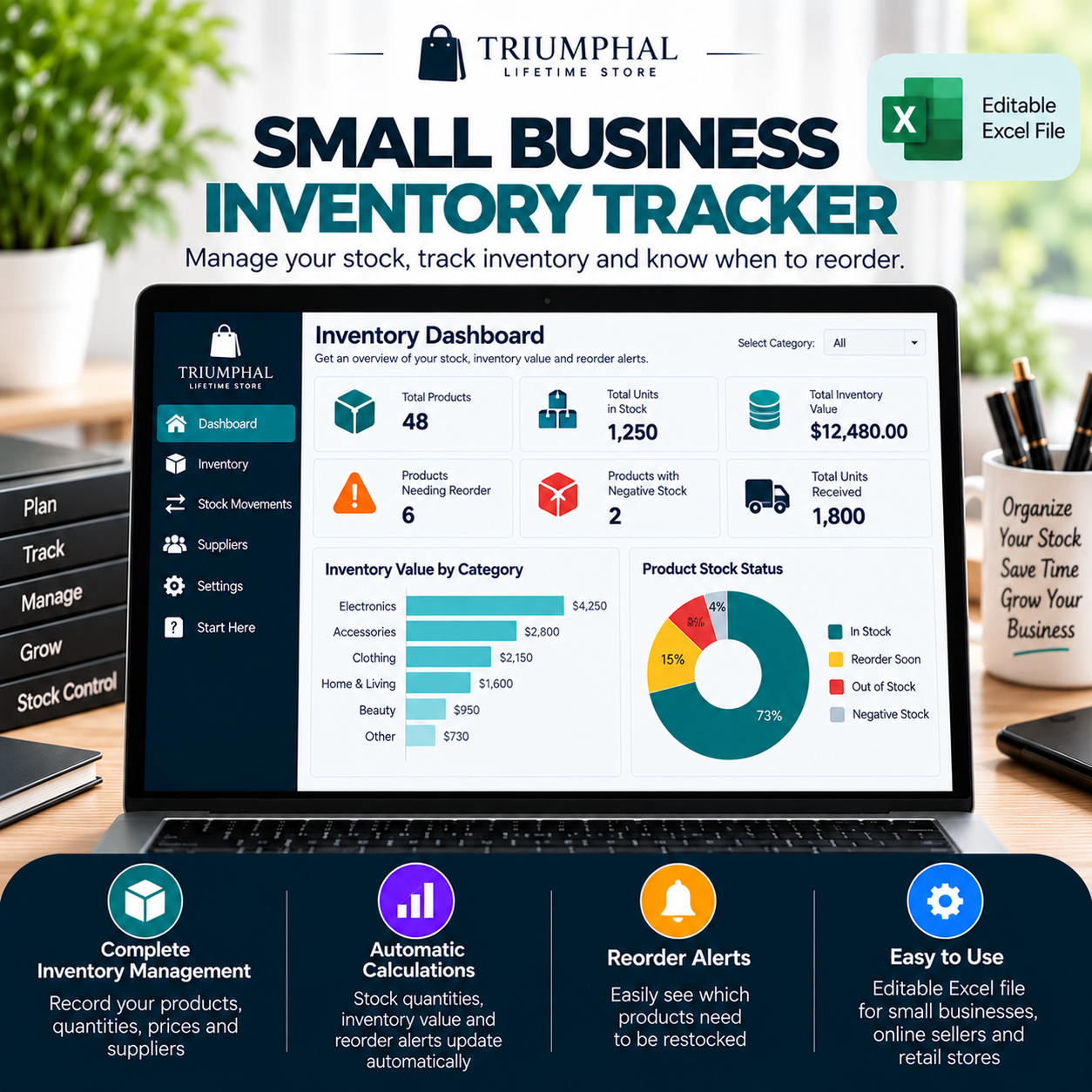
✅ 6. Inventory Dashboard
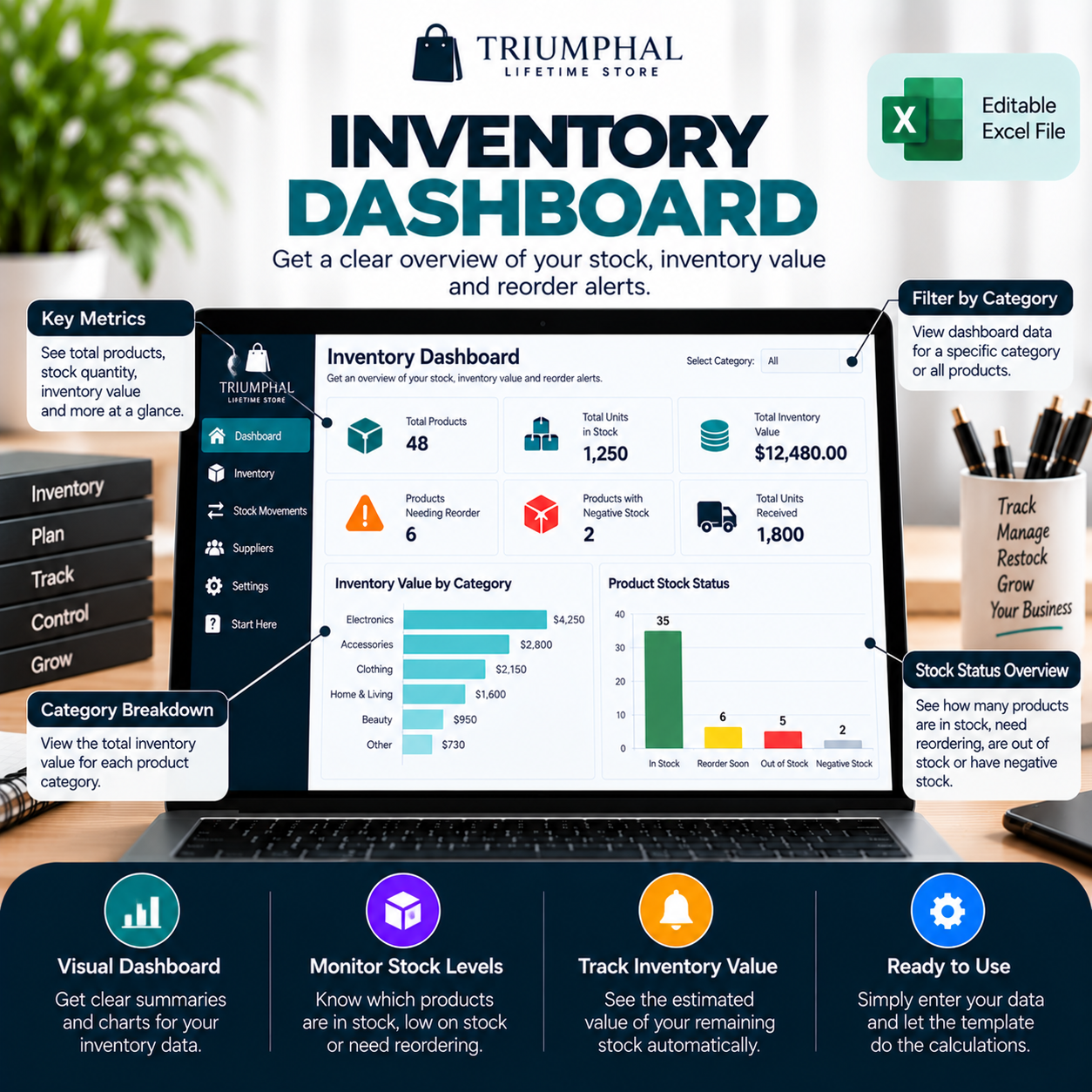
Get an organized overview of your inventory information.
The Dashboard includes:
Total products listed
Total units in stock
Total inventory value
Products requiring reorder
Products with negative stock
Total units received
Inventory value by category chart
Product stock status chart
The charts provide visual summaries of your inventory information.
✅ 7. Supplier Information Management
Keep important supplier details organized in one place.
Record supplier names, contact persons, email addresses, phone numbers, locations, and other useful information.
✅ 8. Customizable Settings
Adjust the workbook to suit your business.
Customize:
Product categories
Currency label
Product records
Inventory information
✅ 9. Easy-to-Follow Instructions
The START HERE worksheet explains how to set up and use the inventory tracker.
Why Choose This Inventory Tracker?
✔ Professional Excel spreadsheet
✔ Six organized worksheets
✔ Automatic stock calculations
✔ Inventory valuation
✔ Reorder indicators
✔ Stock movement tracking
✔ Supplier information records
✔ Two visual dashboard charts
✔ Editable product categories
✔ Reusable inventory management template
✔ Instant digital download
What’s Included?
1 × Small Business Inventory Tracker (.xlsx)
The Excel workbook contains six worksheets:
START HERE
Dashboard
Inventory
Stock Movements
Suppliers
Settings
Who Is This Product For?
This inventory tracker is suitable for small-business owners, online sellers, retail store operators, independent entrepreneurs, and businesses managing physical products.
Product Information
File Format: Microsoft Excel (.xlsx)
Product Type: Digital Inventory Management Template
Delivery: Digital download after successful payment.
Compatibility: Designed for Microsoft Excel. Some features may behave differently in other spreadsheet applications.
Important Information
This template does not automatically connect to WooCommerce, Amazon, Shopify, or other selling platforms.
Users manually enter their products and stock movements. The workbook then uses its formulas to calculate quantities, inventory values, and stock statuses.
This is a digital product. No physical item will be shipped.








Reviews
There are no reviews yet.